Google's New Review Rules: Is Your Review Request Process Now a Violation?
Reviews are an important part of the way customers search for goods and services, which makes them an important part of doing business. Different platforms are more important than others when it comes to reviews. Google Reviews are a common favorite for customers, making them important for businesses as well. But Google’s review policy is changing, and getting these valuable reviews might be getting harder.
How is Google’s Review Policy Changing
Most businesses know how important Google reviews are, and they’ve probably spent time asking customers for reviews. But this may soon be a thing of the past.
In 2025, Google says it blocked or removed more than 292 million reviews that broke its policies, while publishing over 1 billion helpful ones. Google is also using its Gemini AI models to catch manipulation before it ever goes live. The systems are watching, and the rules are more specific than they used to be.
The good news: asking for reviews is still allowed, and still one of the best things you can do for your business. You just need to ask the right way. Here's what changed, what's still allowed, and how to update your review request process so it stays on the right side of Google's rules.
What Hasn’t Changed in Google's Review Policy
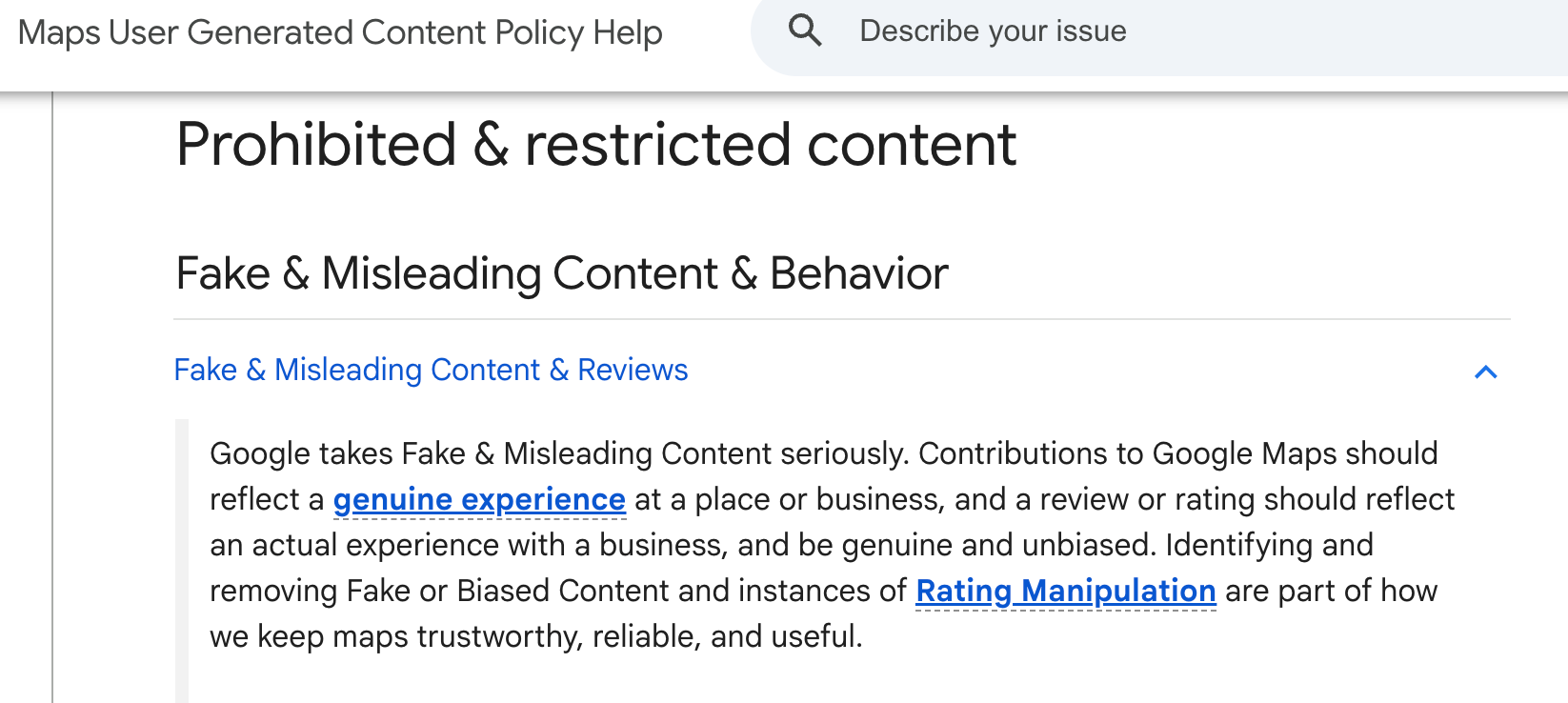
Google's rules for reviews live in its Maps User Generated Content Policy. The core idea hasn't changed: a review should reflect real customers’ actual experience, and it should be "genuine and unbiased." This is also the essence of the FTC’s rules for reviews and testimonials. Abiding by this general rule of reflecting customers’ actual experience is not only a good way to maintain your business’s reputation, but also stay out of legal hot water.
Some of the policy has been in place for a while, and it's worth restating. Here are the rules that have been in place for years and are still in effect:
- No incentives: You can't offer payment, discounts, free products, or free services in exchange for a review. That also covers offering something in exchange for changing or removing a negative review.
- No discouraging negative reviews: You can't prohibit or discourage customers from leaving a negative review.
- No cherry-picking: You can't selectively ask only your happiest customers for reviews.
- No conflicts of interest: Reviews from current or former employees, contractors, business partners, competitors, or family members aren't allowed.
What Has Changed
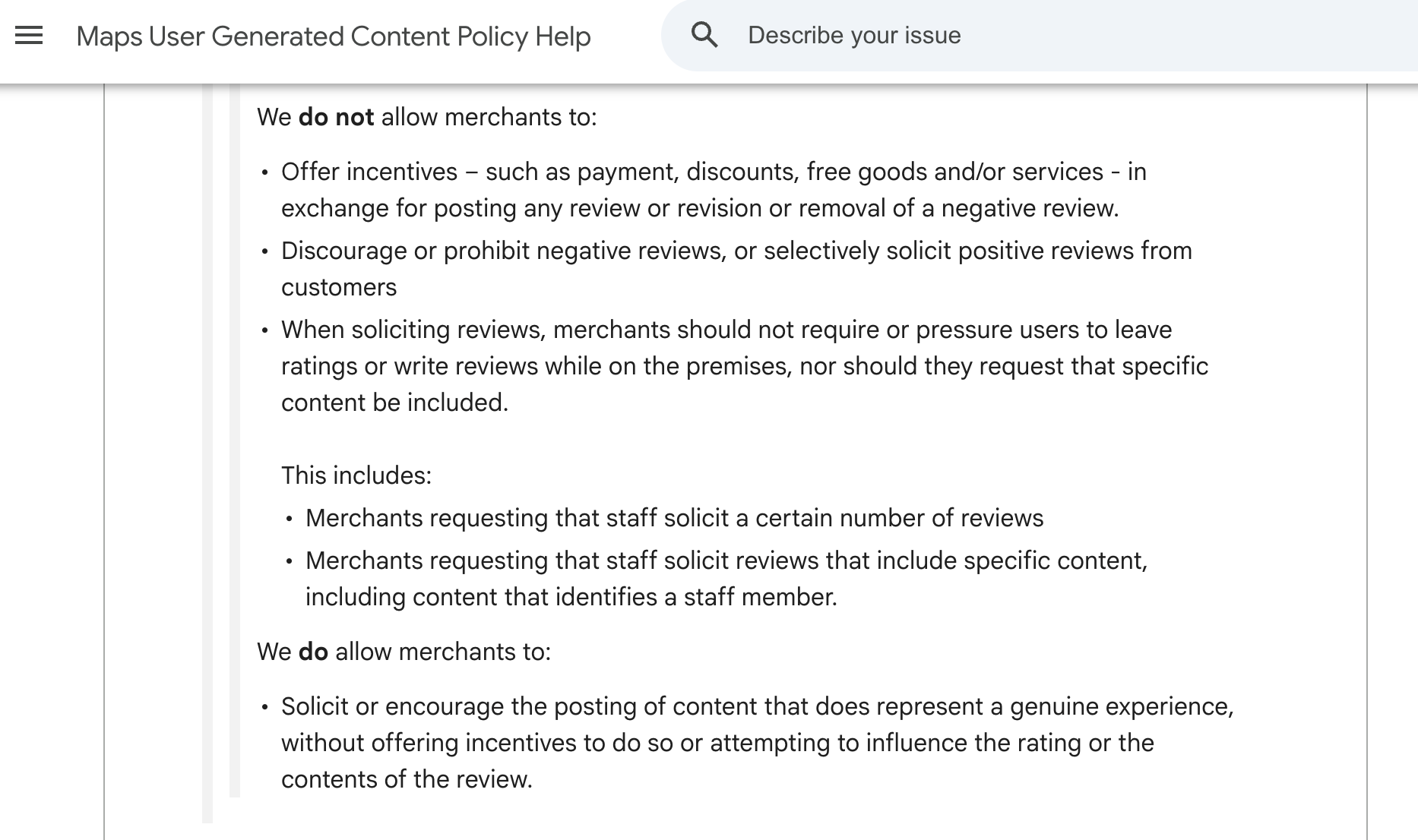
Google has added language about how and where businesses ask. According to the policy, businesses shouldn't require or pressure customers to leave a review while they're on the premises. Businesses also shouldn't request that specific content be included in a review. Google considers these activities “Rating Manipulation” in their policies.
Google gives two examples of what this covers:
- Staff review quotas: A business can't ask its staff to collect a certain number of reviews.
- Requests for specific content: A business can't ask its staff to request reviews that include specific content, and Google specifically calls out content that identifies a staff member.
In other words, the "get five reviews this month that mention your name" approach is now explicitly against the rules.
What's Still Allowed
Google isn't telling you to stop asking for reviews. Its policy explicitly allows businesses to ask customers to share a genuine experience, as long as you don't offer an incentive or try to influence the rating or what the customer writes.
That leaves plenty of room for a strong review strategy. You can still:
- Email or text customers a link to your Google review page after their visit or purchase.
- Print a QR code on receipts, invoices, packaging, or a thank-you card.
- Add a review link to your email signature, website, or follow-up messages.
- Train staff to mention, casually and without pressure, that reviews help your business.
- Ask every customer, not just the ones you think will be happy.
The difference comes down to whether you're inviting feedback or directing it.
What Happens If You Break the Rules
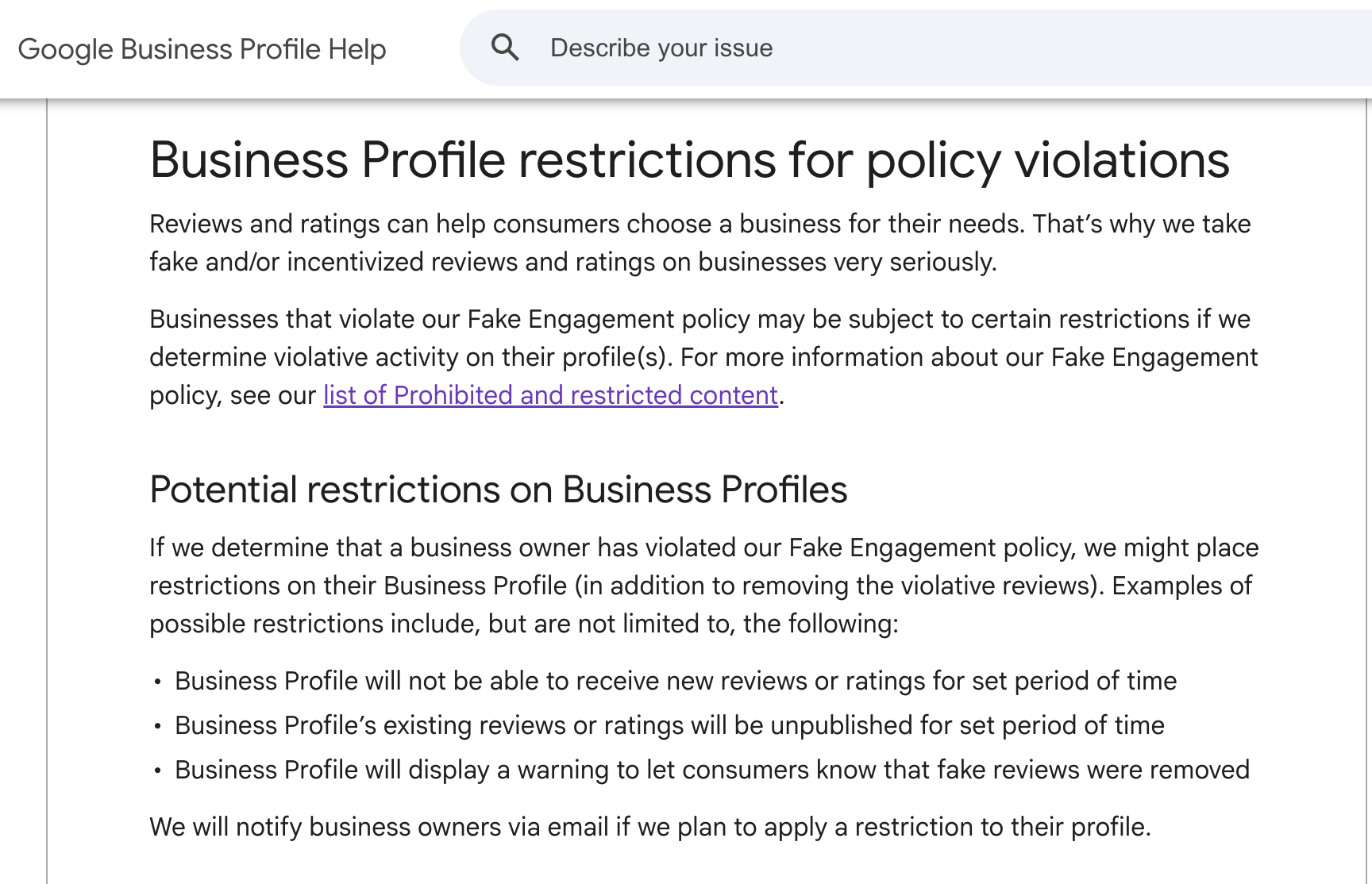
If Google finds reviews on your page that are suspicious, it will take action. First, Google removes reviews that violate its policy. But if Google decides a business has been engaging in fake or incentivized reviews, it can go further.
According to Google's page on Business Profile restrictions for policy violations, possible restrictions include:
- A review freeze: Your profile can't receive new reviews or ratings for a period of time.
- Hidden reviews: Your existing reviews and ratings can be unpublished for a period of time, including legitimate ones.
- A public warning: Your profile can display a notice telling customers that fake reviews were removed.
That last one deserves extra attention. A warning on your Google Business Profile is visible to every prospective customer who looks you up. For a business that relies on its Google reputation, it can do more damage than a few negative reviews ever would.
Repeated violations can also put your whole account at risk. Google notes that if a pattern of policy violations leads to an account being restricted, every Business Profile tied to that account is suspended. That's especially important for multi-location businesses and agencies managing profiles on behalf of clients.
And Google is getting better at spotting this. In its April 2026 announcement, Google said it placed posting restrictions on more than 782,000 policy-violating accounts and removed over 13 million fake Business Profiles in 2025. It's also using Gemini to catch suspicious activity, including review extortion scams, before it goes live.
How to Build a Compliant Review Request Process
If your current approach includes any of the tactics above, here's how to update it without losing momentum.
- Audit what you're doing now: Gather your review request emails, text templates, staff training materials, signage, and any internal goals or incentive programs. Look for anything that sets quotas, rewards reviews, filters who gets asked, or suggests what customers should write.
- Retire review quotas and contests: If you want to recognize great employees, reward them for service quality, not review counts. Customer surveys can help you measure that without involving Google reviews at all.
- Ask everyone, the same way: Send the same review request to every customer after their experience. A consistent, automated follow-up is easier to manage and much harder to accidentally turn into review gating.
- Ask after the experience: A follow-up email or text a few hours or a day later gives customers time to decide whether and what to write, without anyone watching.
- Keep the request neutral: No star suggestions, no names, no keywords. Just a thank-you and a link.
- Respond to every review: Thank happy customers and respond professionally to unhappy ones. Never offer something in exchange for changing a review. Fix the problem because it's the right thing to do, and let the customer decide whether to update their review on their own.
- Write your process down: A short, documented review request policy makes it easier to train new staff, keep multiple locations consistent, and show that your process is fair if questions ever come up.
Gathering Your Own Social Proof
Google reviews are valuable, but they live on Google's platform and follow Google's rules. Google decides what gets published, what gets removed, and when restrictions apply.
That's one more reason to build social proof you control. Customer testimonials, video testimonials, and case studies on your own website, in your emails, and in your sales materials give prospective customers the reassurance they're looking for, wherever they find you.
Testimonials also let you do things Google reviews can't. You can ask thoughtful interview-style questions, collect video, and feature stories that speak to specific customer concerns. If a customer loves working with a particular team member, a testimonial is a great place for them to say so.
It’s important to note that testimonials on your own channels still need to be honest. Fake testimonials, undisclosed incentives, and misleading claims can run afoul of the FTC, wherever they appear.
Ready to collect more testimonials, the right way?
Download the Testimonial Request Toolkit for templates, questions, and tips
Honest Reviews Win
Google's updated policy can feel like one more set of rules to keep track of. But look at what it's actually targeting: quotas, pressure, incentives, and scripted reviews. These are the tactics that make reviews less trustworthy, and they've always given an unfair edge to businesses willing to game the system.
If your business earns its reviews honestly, these changes work in your favor. Ask every customer, keep the request simple, respond thoughtfully, and let your customers tell their own stories. That's the kind of social proof that holds up, on Google and everywhere else.
Start a free trial of Boast to get the tools you need to collect more reviews
-
Social Proof
Google Review Policy: What Business Owners Can and Can’t Do to Get More Google Reviews
If you’re trying to get more Google reviews, you might wonder what you can and can't do. Here is everything you need to know about Google …
 Customer Feedback
What People Really Look for in Reviews (It’s Not What You Think)
As you might assume, customers aren’t reading carefully through your reviews, word-for-word. Customers are busy and look for a few things in …
 Online Reviews
7 Ways to Use Video Product Reviews To Drive More Sales
Shoppers want proof that a product really works, and testimonials from real people can help. That’s where video product reviews come in.