
How to bulk add contacts to a sequence
- Navigate to the Contacts tab.
- Check the box next to any Contact that you would like to add to your sequence.
- Click Bulk Update.
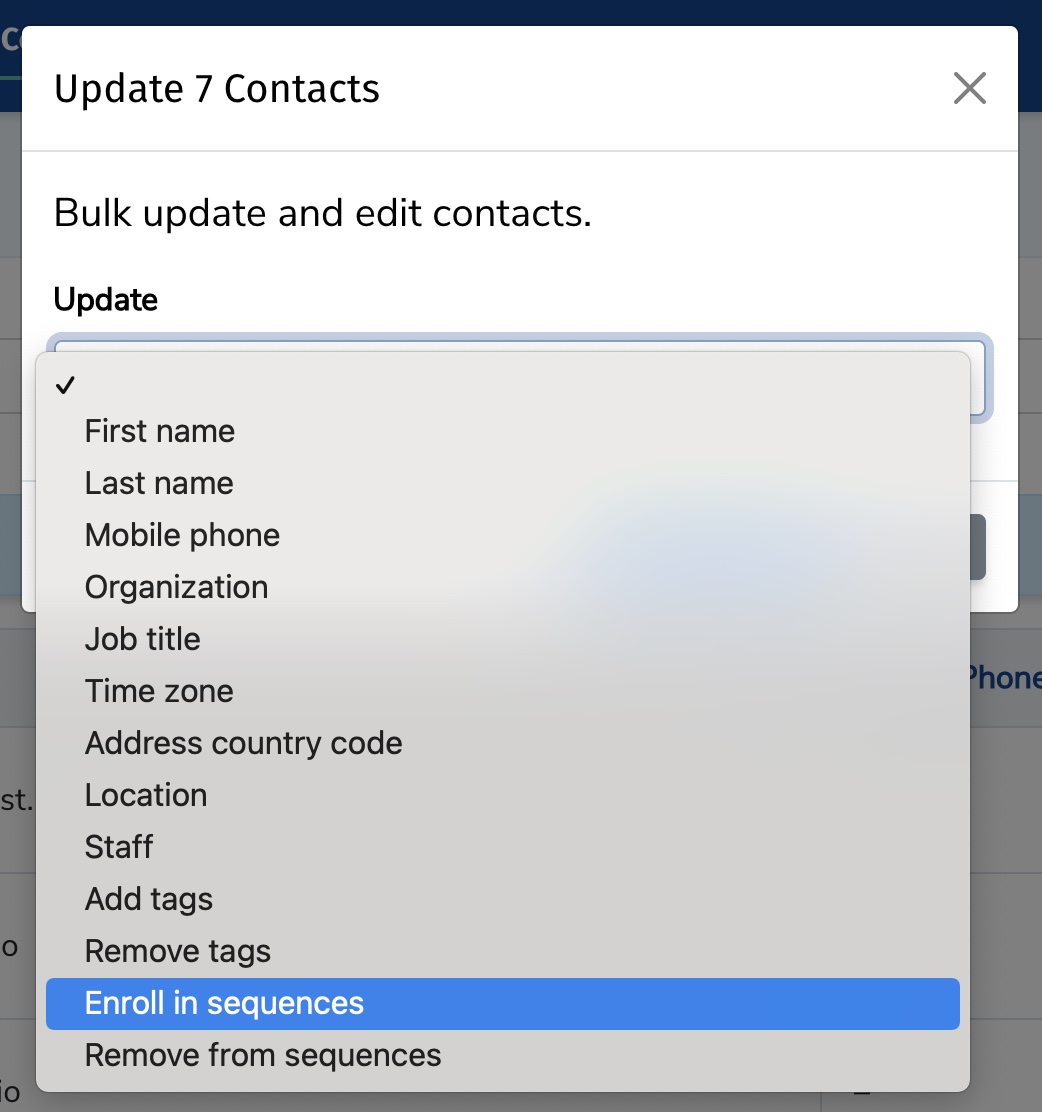
- In the Update dropdown, select Enroll in Sequences.
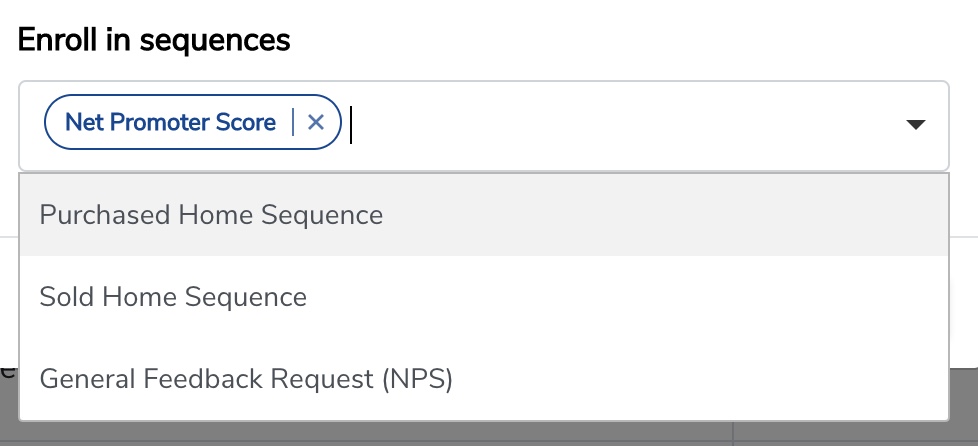
- In the Enroll in Sequences dropdown, select the sequence(s) you would like to enroll the contacts in.
- Click Update Contacts.


Still need help?
Our support team answers by phone, email and chat, 9am–5pm EST, on every plan.