
customer stories

Boast Knowledge Base

How do I unblock my camera in my browser?

Sometimes, the camera or microphone is blocked in your browser on your desktop or mobile device.

If your browser does not ask or allow camera use, please use the following steps to ensure your browser allows camera and microphone access:

Mobile

Desktop


iPhone / iPad - Safari

1. Open up the "Settings" app

settings-icon

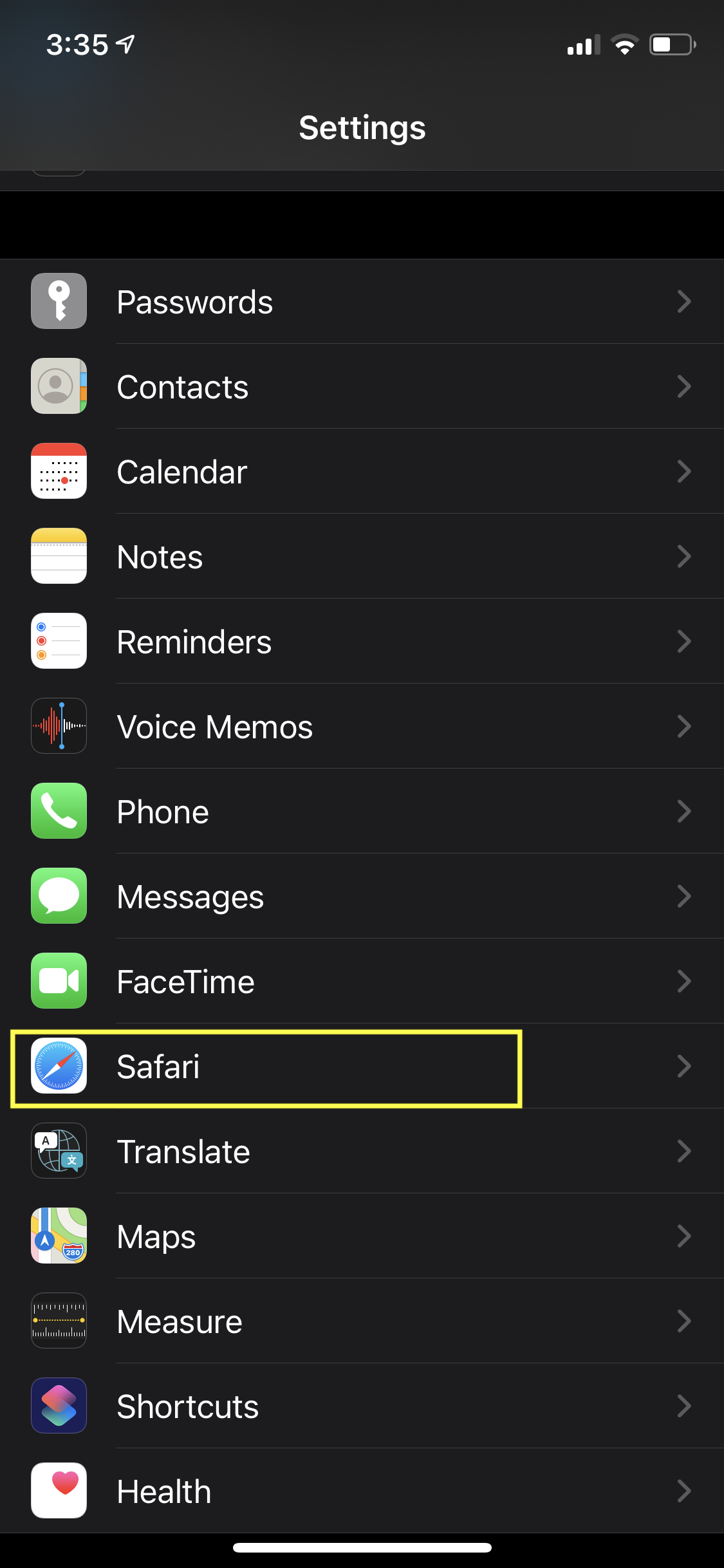
2. Scroll down to Safari

IMG_2514-1

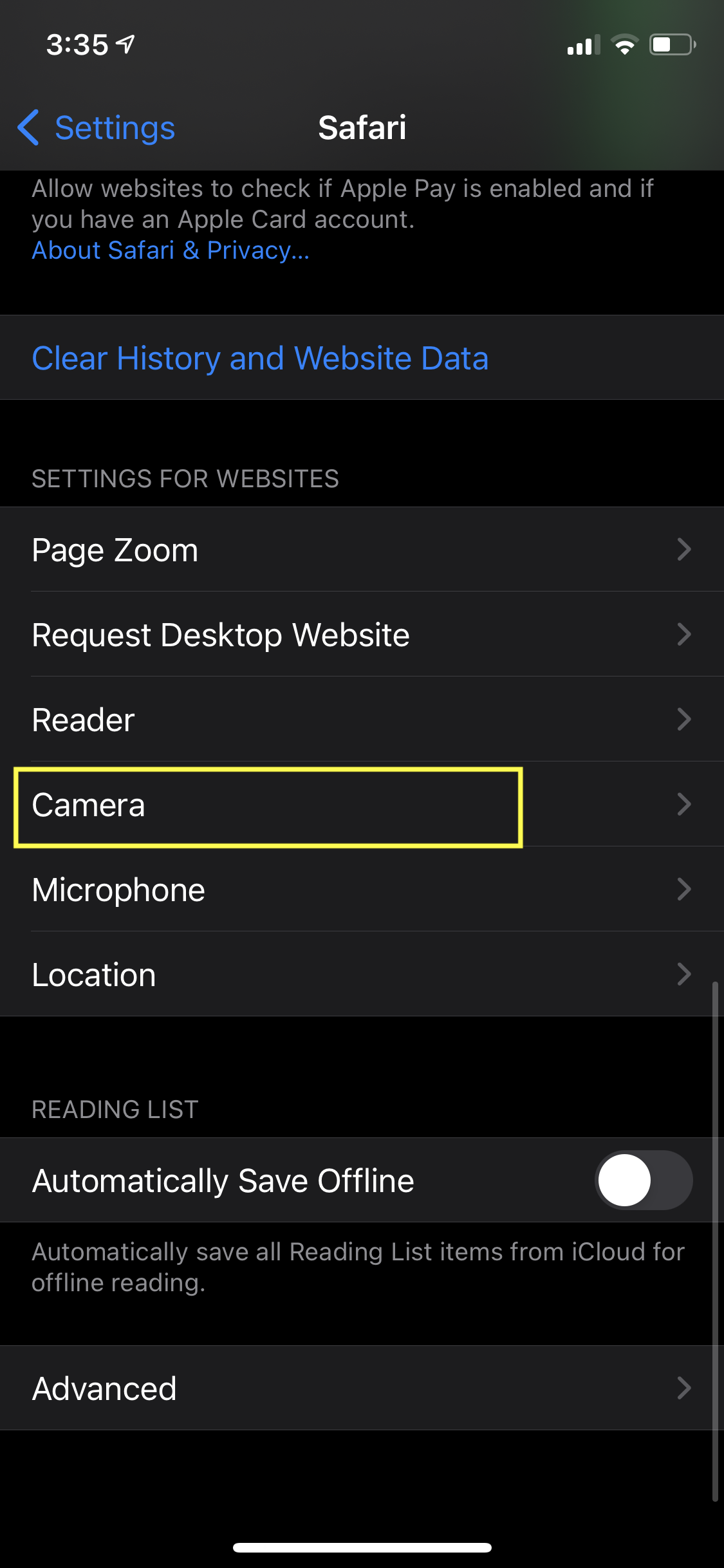
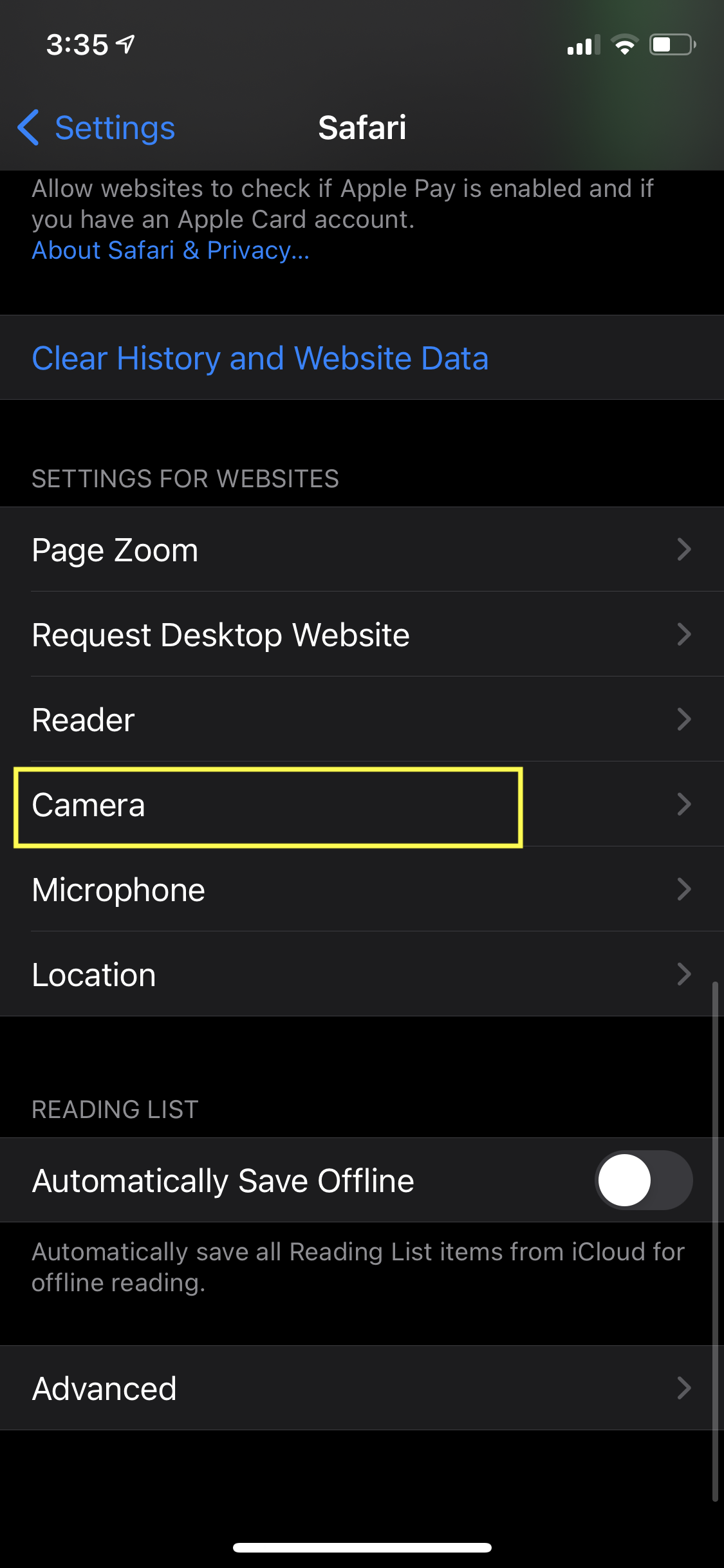
3. Scroll down to "Camera"

IMG_2515-1

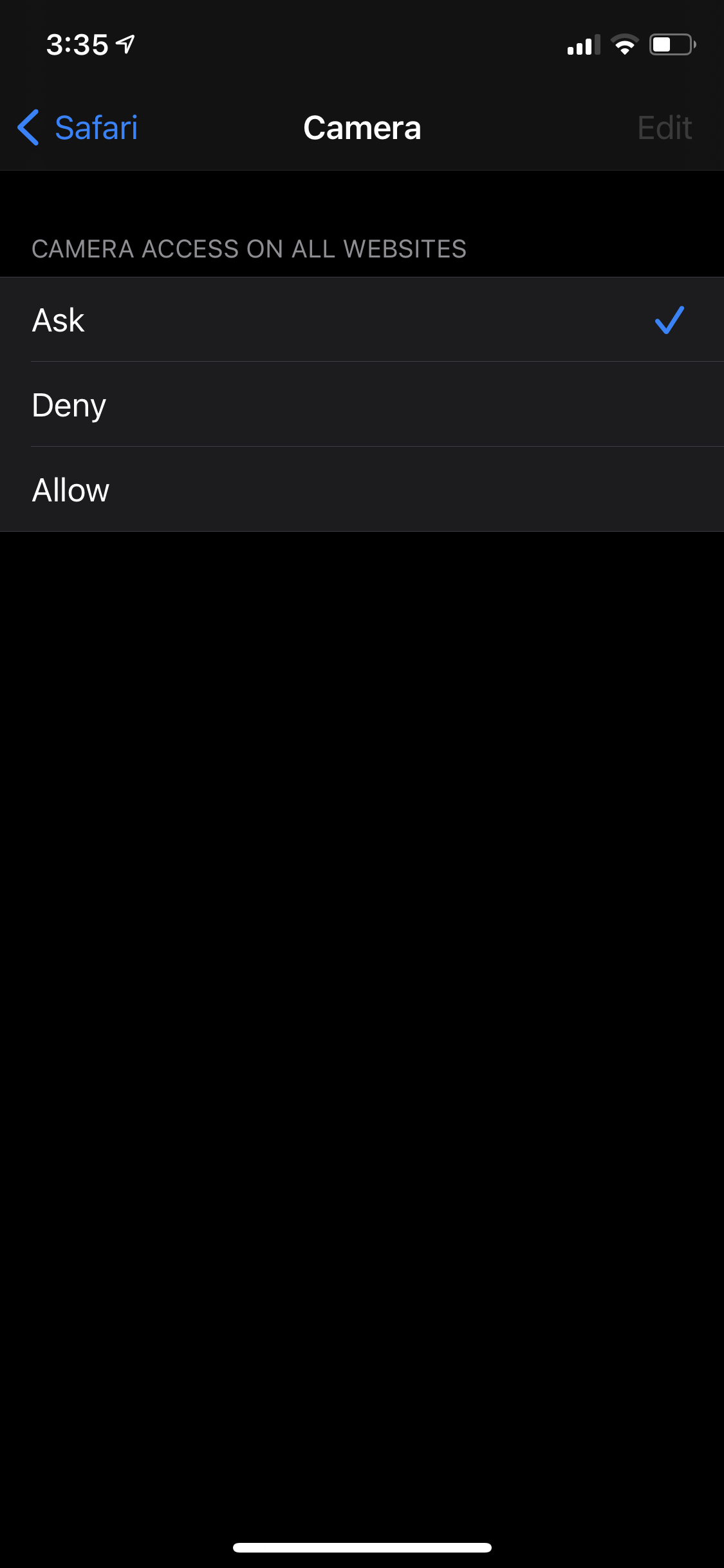
4. Make sure "Ask" is selected

IMG_22E2B8814FF0-1

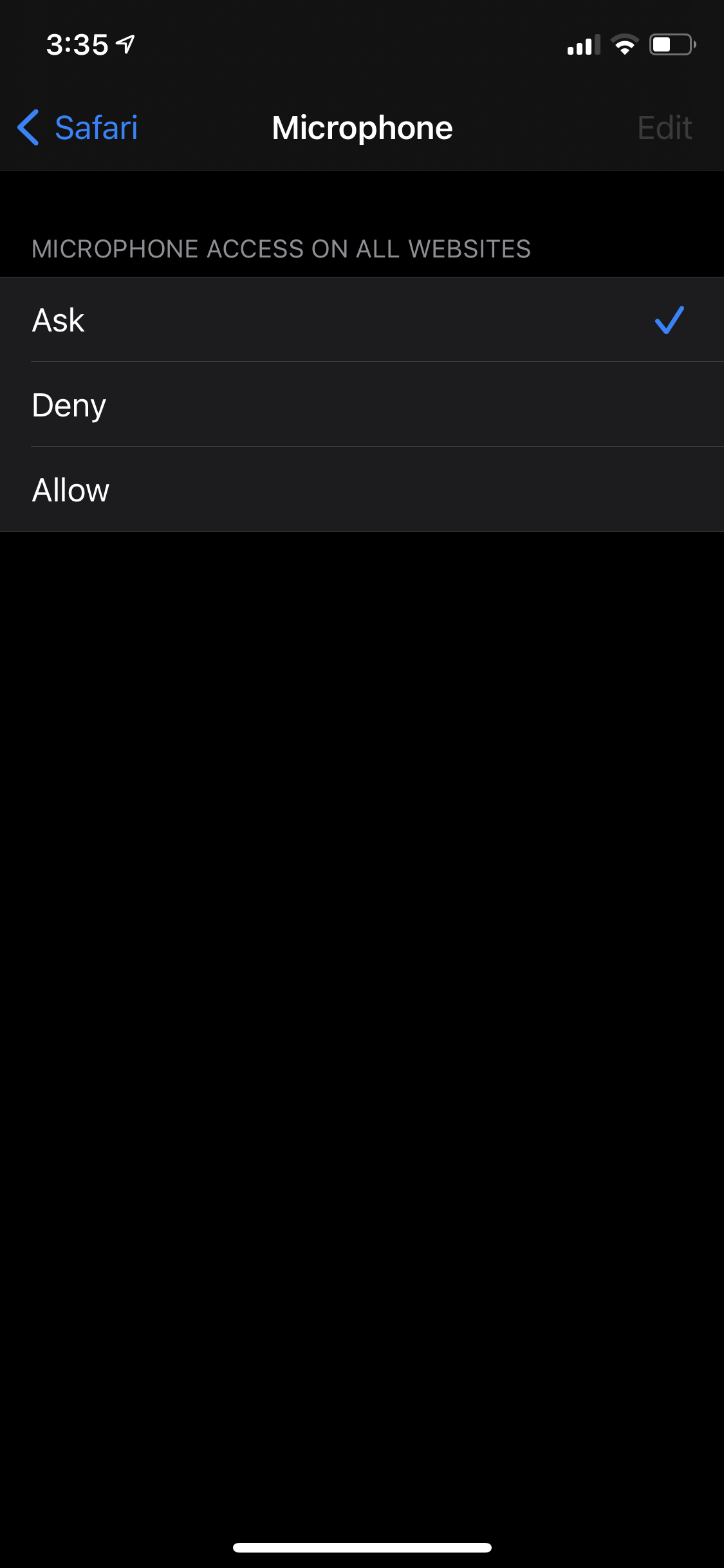
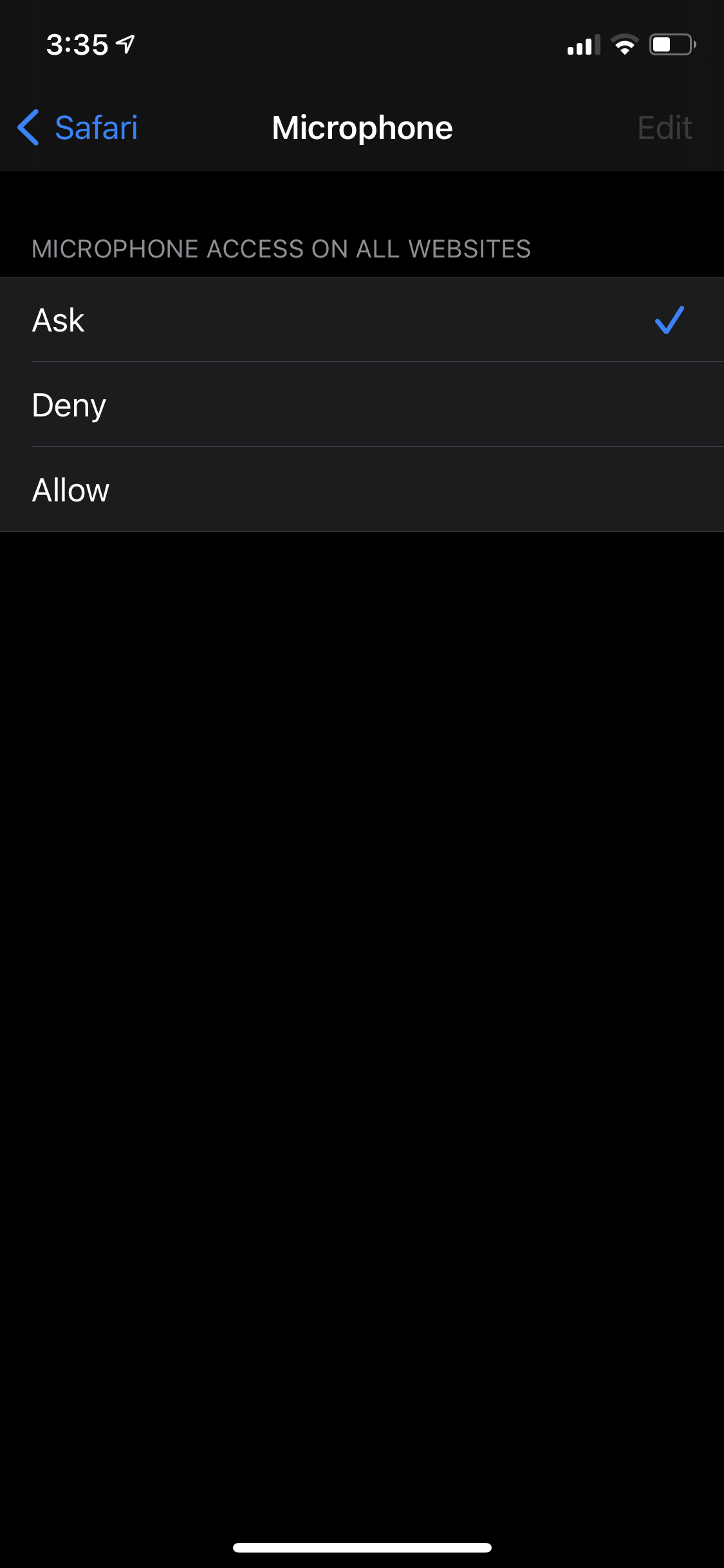
5. Go back to the previous screen by selecting "Safari" in the top left, and then select "Microphone"
IMG_22E2B8814FF0-2

6. Make sure "Ask" is selected

IMG_22E2B8814FF0-2

7. Head back to Safari and refresh the Boast form page.


iPhone / iPad - Chrome

1. Open up the "Settings" app

settings-icon

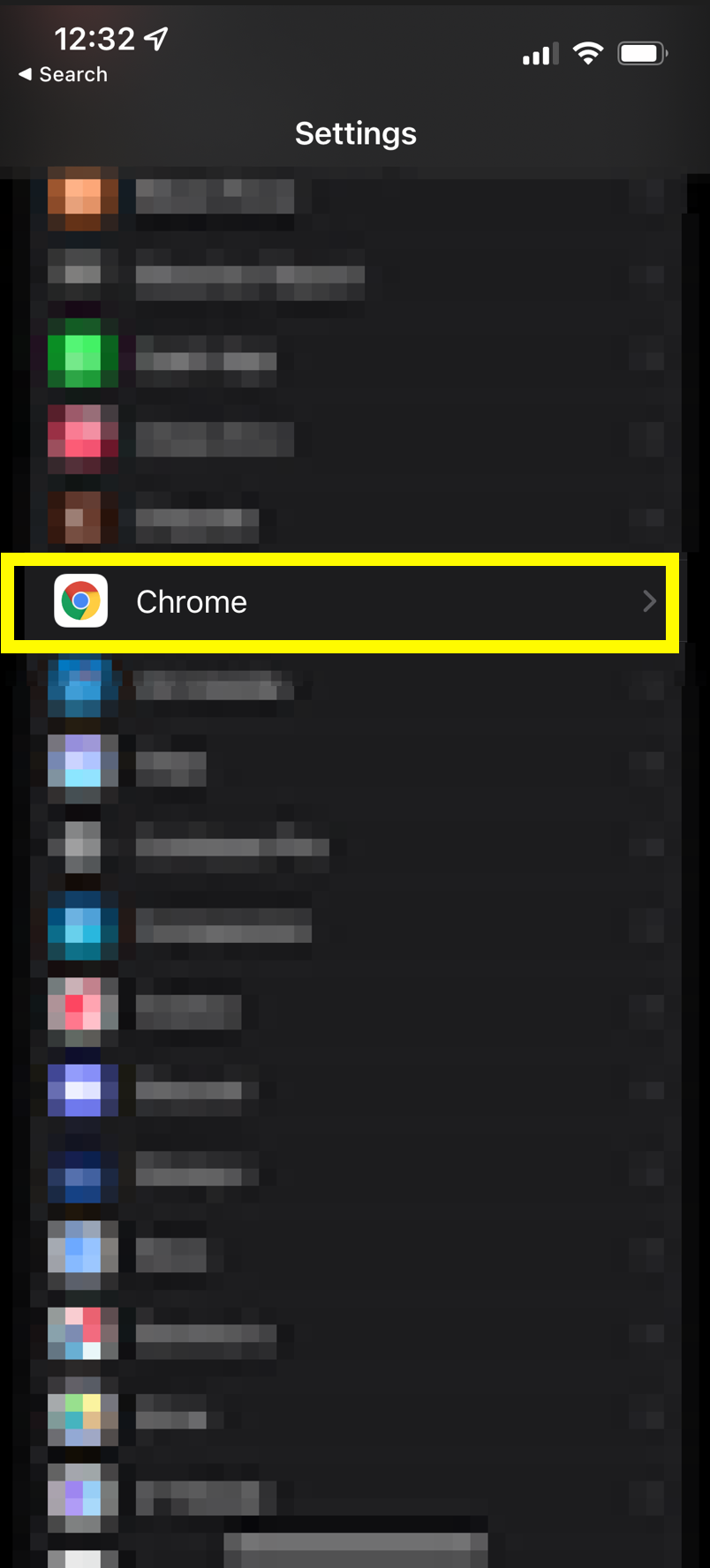
2. Scroll down to Chrome

3. Scroll down to "Camera"
IMG_2515-1

4. Make sure "Camera" and "Microphone" are enabled
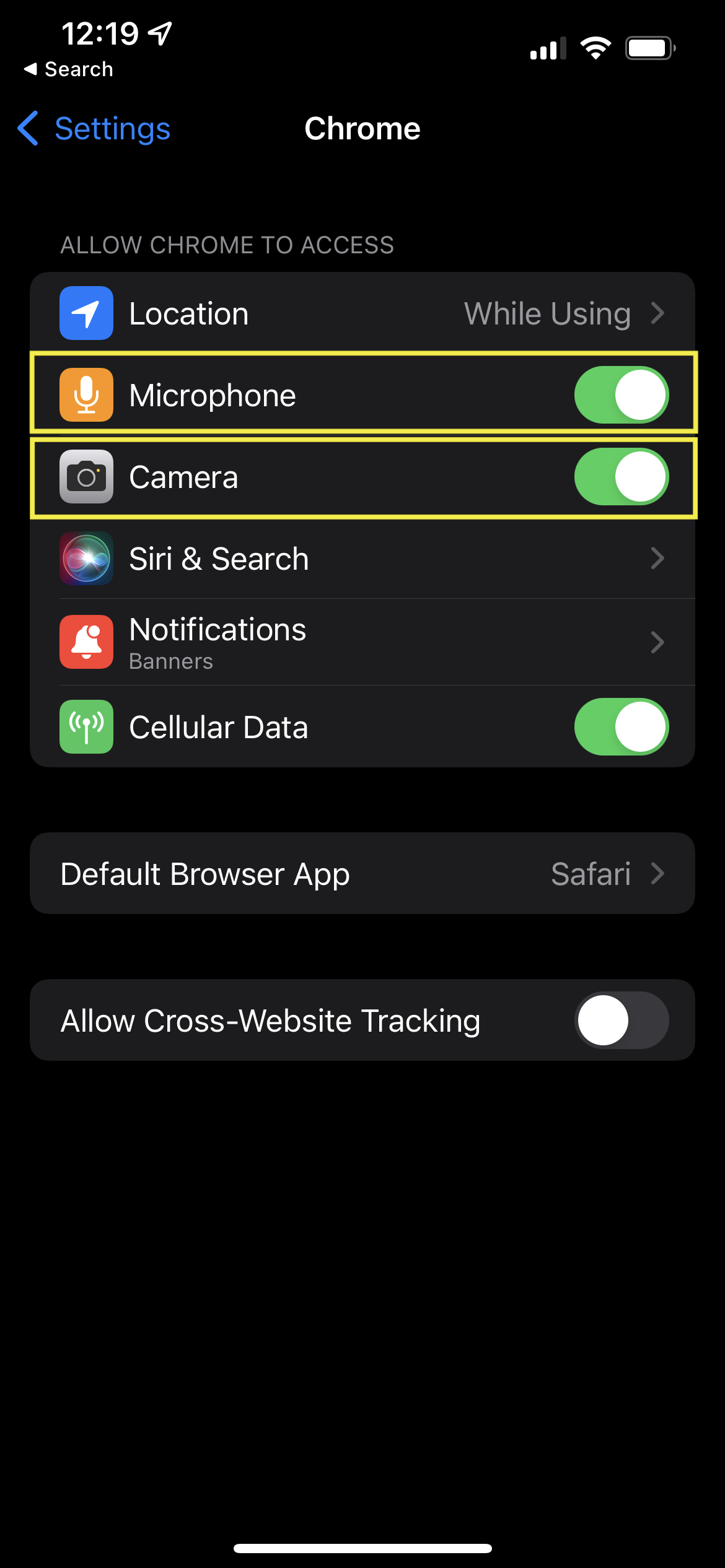
5. Head back to Chrome and refresh the Boast form page.

Android - Chrome

  1. Open the Settings app.
  2. Tap Apps.
  3. Find and tap on Chrome
  4. Tap Permissions
  5. Tap on Camera and made sure it is set to Allow or Ask Every Time
  6. Repeat for Microphone
  7. Open up Chrome and refresh the Boast form page.

Desktop - Chrome

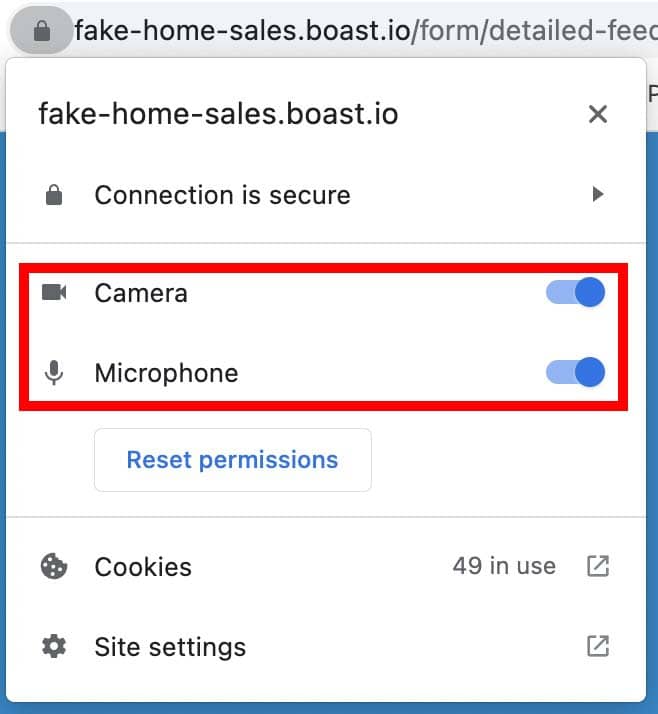
  1. While on the page containing the Boast form, click the lock icon to the left of the website address in the address bar.
  2. Make sure both camera and microphone are toggled on.
  3. Refresh the page

Desktop - Firefox

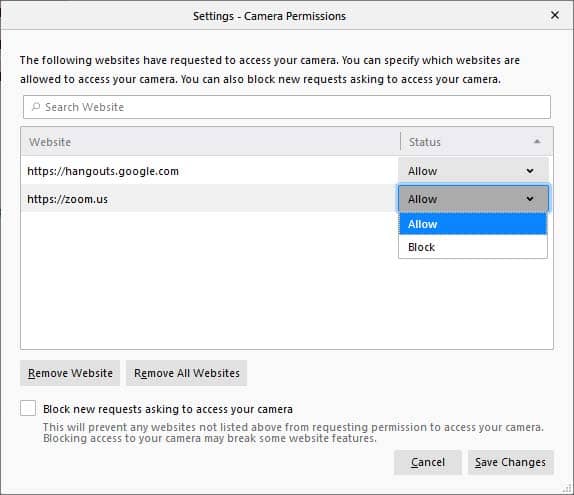
  1. Navigate to the Firefox Settings page. You can do so by clicking on the hamburger button in the top right corner > Settings, or by searching "about:preferences" in the address bar.
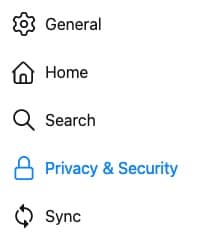
  2. In the left sidebar, select Privacy & Security.
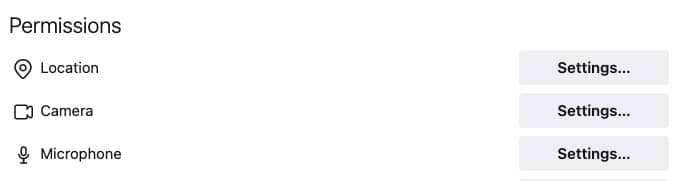
  3. Scroll to the Permissions section.
  4. Click the Settings button for the Camera option.
  5. Find the website where the Boast form is embedded and make sure it is set to Allow.
  6. Click Save Changes.
  7. Repeat for the Microphone settings.
  8. Refresh the Boast form webpage.

Desktop - Safari

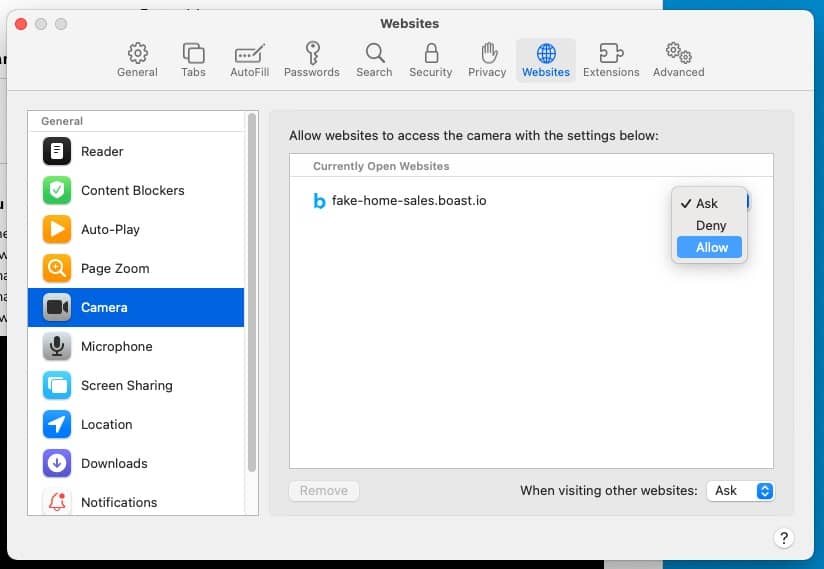
  1. Navigate to Safari > Settings > Websites.
  2. Select Camera in the left sidebar.
  3. Find the website where the Boast form is embedded and make sure it is set to Allow.
  4. Repeat for Microphone.
  5. Refresh the Boast form webpage.

One tool with everything you need to leverage social proof to grow your business.

Meet the companies collecting video testimonials with Boast

Betr Health Case Study

Betr Health is a health food meal service focusing on wellness.

Chicago Helicopter Experience Case Study

Chicago Helicopter Experience provides breathtaking tours of the Chicago area.

CommonSense American Case Study

CommonSense American seeks to bridge the partisan divide between everyday citizens and bring everyone to the table to make positive change.

Consulting Success Case Study

Consulting Success gives business consultants powerful strategies to win more clients and improve their overall business efficiency.

Family Chiropractic Center for Wellness Case Study

Family Chiropractic Center For Wellness provides a full range of health and wellness treatments in four convenient Florida offices.

GoForClose Case Study

GoForClose empowers real estate investors to focus on sales and closing deals by providing a specialized team and marketing platform at an affordable rate.

Growth Marketing Pro Case Study

Growth Marketing Pro helps business owners and startups develop powerful growth marketing strategies.

National Grid Case Study

National Grid is a British and US multinational electricity and gas utility company with a market cap of 47 billion dollars.

North Face Endurance Challenge Case Study

The North Face Endurance Challenge Series is a trail race series in six locations across North America.

OneTrust Home Loans Case Study

OneTrust Home Loans serves borrowers and their financing needs through an efficient, transparent, and technology-driven loan process.

Pure Energy Window Company Case Study

Pure Energy Window Company is a window installation and replacement company specializing in energy-efficient windows.

Republican Voters Against Trump Case Study

Republican Voters Against Trump seeks to cross political lines by collecting and displaying testimonial videos from self-identifying Republican voters who don’t support Donald Trump.

Savvy + Co Real Estate Case Study

Savvy + Co Real Estate is a full-service real estate firm serving clients in Charlotte, North Carolina

Sedera Case Study

Inspired by the modern sharing economy, Sedera centers on Member-to-Member sharing, basically people helping people.

Seth Godin Case Study

Seth Godin is a marketing expert promoting books and other resources.

Sonic Relief Case Study

Sonic Relief™ provides personal therapeutic ultrasound devices for pain management.

Vivir al Máximo Case Study

Vivir al Máximo sells different online courses to help students create a life on their own terms.

Who Uses Boast?

Boast was originally designed to help B2B companies improve their processes for collecting testimonials and showcasing them on their websites, but it didn’t take long to realize that the Boast apps have far more potential. Check out some of the ways people are using below.

Real Estate

Realtors make it or break it by cultivating quality, genuine customer testimonials. Boast offers a way for Realtors to capture meaningful client relationships and build new ones.

Health & Wellness

Boast helps health and wellness product brands, software companies, service providers, and coaches leverage video testimonials and customer reviews to increase sales.

Software Companies

Boast helps software companies collect feedback from customers to improve product features and increase sales.

Creators & Consultants

Boast offers a simplified testimonial process so you can build a library of social proof to showcase on your website, social media, and ads.

Non-profit, Association & Advocacy

Boast helps non-profit, association, and advocacy organizations set up feedback campaigns to get a pulse on their community.

Financial Services

Boast offers everything you need to build a library of praise to showcase on your website, social media, and ads.

Agencies

Boast assists growth-focused agencies with an all-in-one platform to collect, manage, and share video testimonials.

Coaches & Consultants

Request and collect video testimonials for your coaching business to improve credibility with your audience and sell more.

Join 8,000+ businesses leveraging Boast to collect and share video testimonials.