

Boast Knowledge Base
How to set up Boast in a "kiosk" using a mobile browser
Step 1: Enable “Guided Access” in your iOS settings
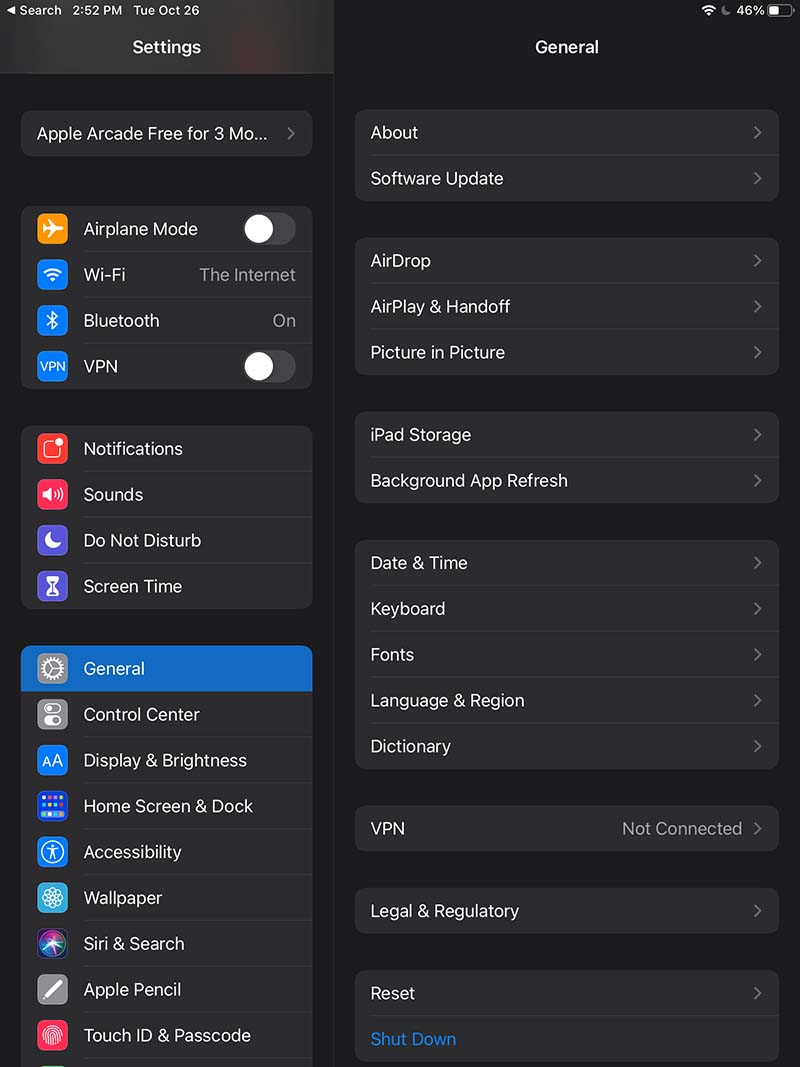
- Open “Settings”
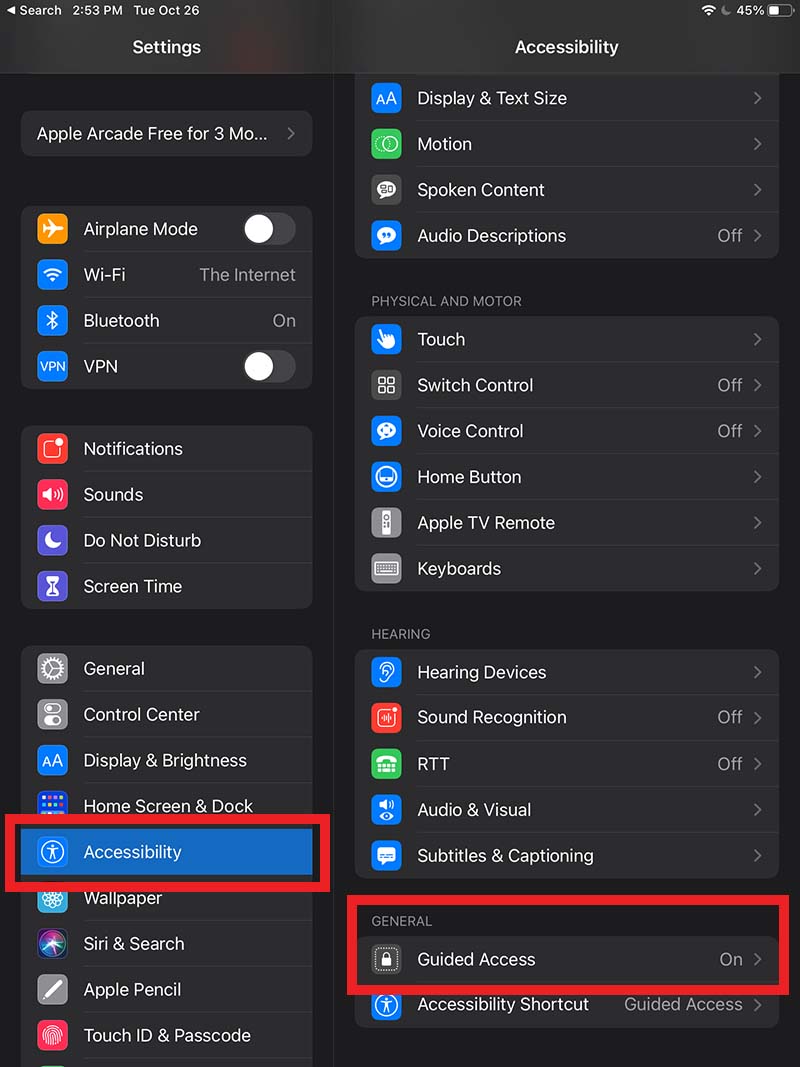
- Go to “General” > “Accessibility”
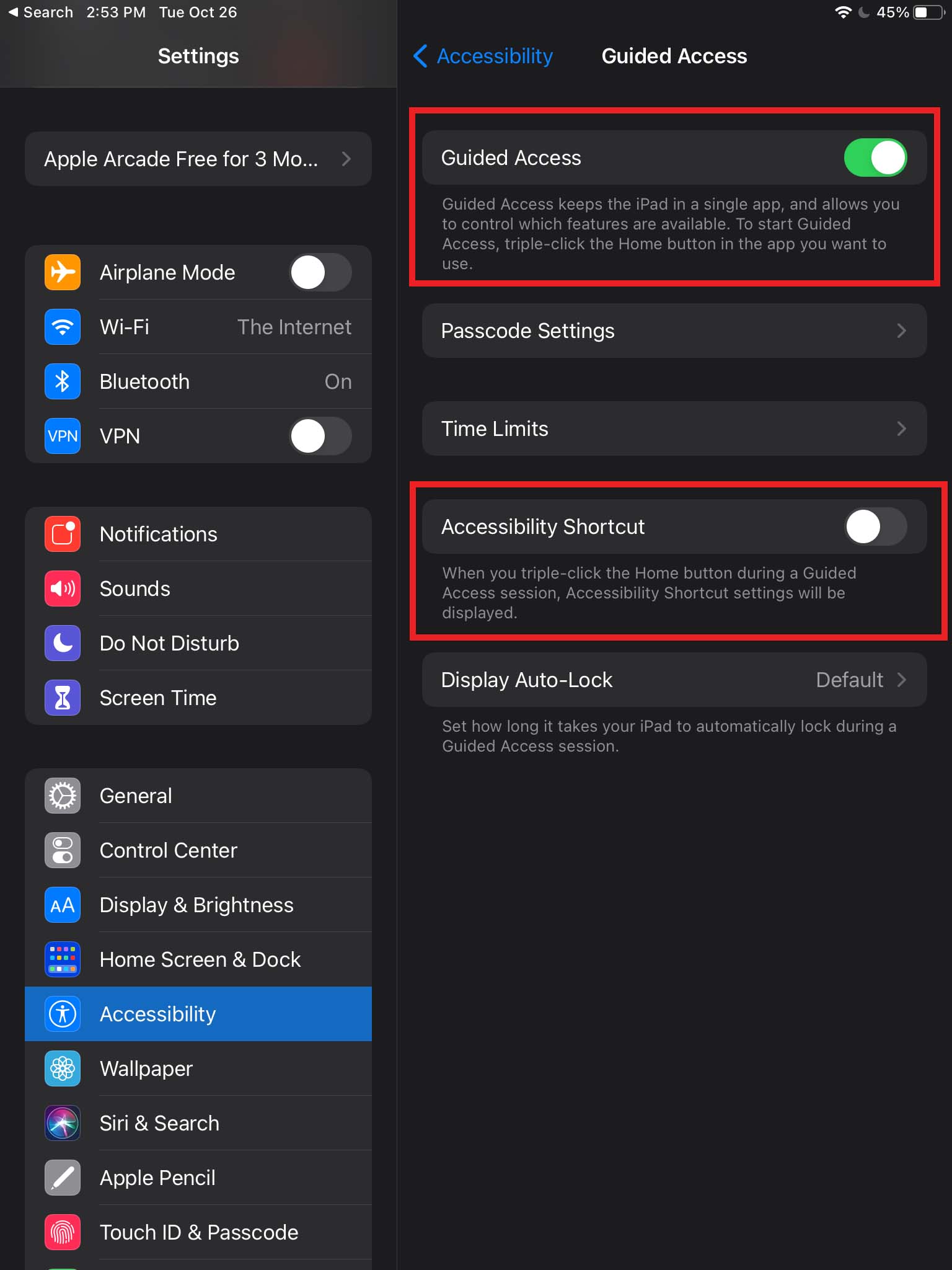
- Tap on “Guided Access” (Scroll down the page a little, it’s under the “General” section)
- Flip the switch to “ON”
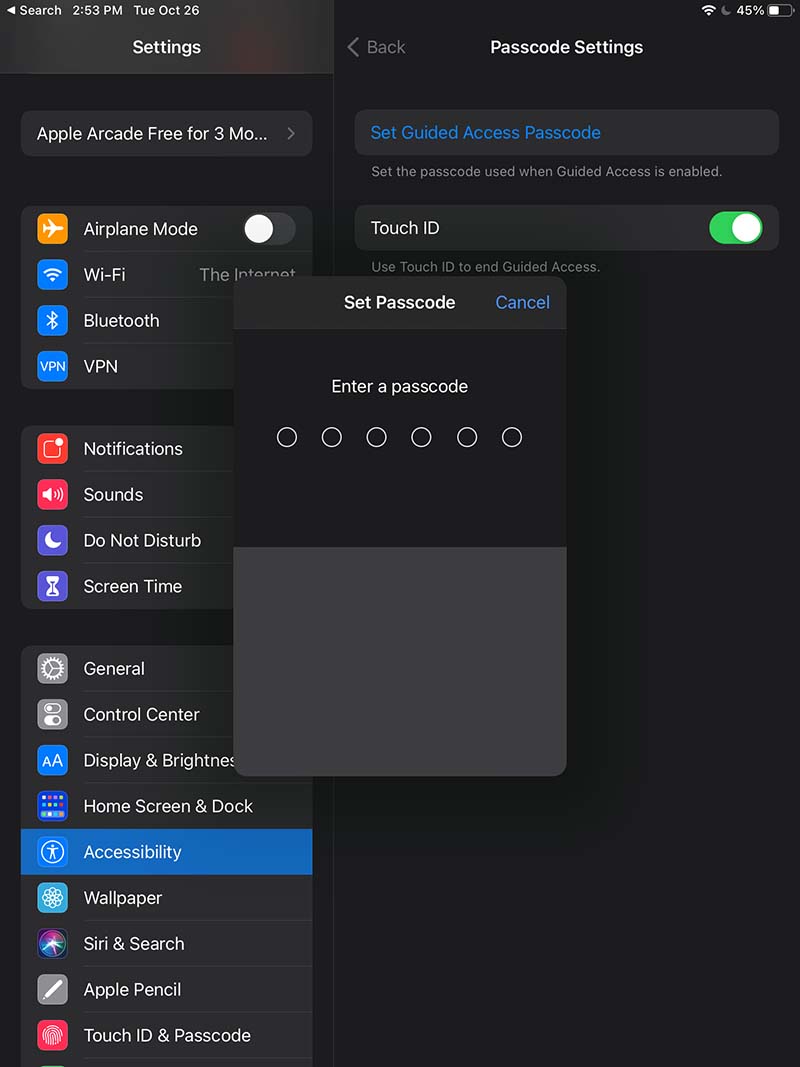
Optionally, you can turn on the Accessibility Shortcut as well. - Tap on “Passcode Settings” and click "Set Guided Access Passcode" (this will prevent users from leaving “Guided Access” mode)
- Enter a passcode
Step 2: Open your Boast-hosted form in your browser
In your browser (Chrome, Safari, etc), open up the link to your Boast form.To get this link:
- Go to Forms in your Boast account.
- Find the correct form and click Share.
- Copy the Landing Page link.

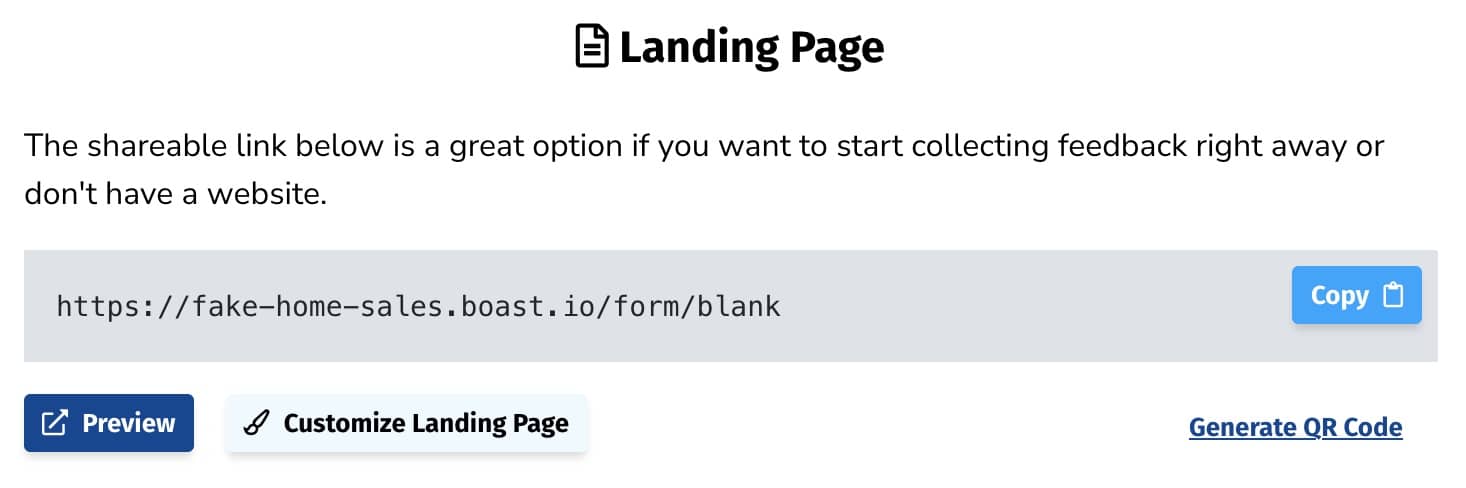
Step 3: Configure Guided Access
With your form landing page still open, triple-click the Home button. You have now entered the “Guided Access” setup screen.
There are 3 main options to choose from here: Hardware Buttons, Touch, and Motion.
Hardware Buttons
You can enable or disable specific hardware buttons, including the Sleep/Wake Button and the Volume Buttons.
We recommend disabling both of those options when displaying your Boast form in Kiosk mode, to prevent your customers from turning off the iPad or turning the volume down all the way.
Touch
Make sure Touch is enabled.
Motion
You can prevent the iPad from changing its orientation when the user rotates the device by turning motion OFF. Boast will work in both orientations, so you can leave this option enabled or disabled, whichever you prefer.
For more information, view Apple's documentation here.
Step 4: Start Guided Access
After you’ve configured Guided Access as desired, tap on the “Start” button in the upper right. Your app is now running in Guided Access or “kiosk” mode! If you try tapping on the Home button, Sleep/Wake button, or Volume buttons, you’ll see they have no effect. The Home and Sleep/Wake buttons will show a small message on the screen letting you know that Guided Access is enabled.
You can exit Guided Access by triple-clicking the Home button once again, and entering your passcode (if configured). You’ll be taken back to the Guided Access setup screen, where you can either End or Resume Guided Access.
Step 5: Collect Feedback
That’s all there is to it! You can now easily collect feedback from your customers in person.
We recommend you use the form thank you page to redirect back to the form. When someone submits the form, it will go back to the beginning, ready for the next person.
One tool with everything you need to leverage social proof to grow your business.
Meet the companies collecting video testimonials with Boast


Chicago Helicopter Experience Case Study

CommonSense American Case Study

Consulting Success Case Study

Family Chiropractic Center for Wellness Case Study

GoForClose Case Study

Growth Marketing Pro Case Study

National Grid Case Study

North Face Endurance Challenge Case Study

OneTrust Home Loans Case Study

Pure Energy Window Company Case Study

Republican Voters Against Trump Case Study

Savvy + Co Real Estate Case Study

Sedera Case Study

Seth Godin Case Study

Sonic Relief Case Study

Vivir al Máximo Case Study
Who Uses Boast?
Boast was originally designed to help B2B companies improve their processes for collecting testimonials and showcasing them on their websites, but it didn’t take long to realize that the Boast apps have far more potential. Check out some of the ways people are using below.

Real Estate

Health & Wellness

Software Companies

Creators & Consultants

Non-profit, Association & Advocacy

Financial Services

Agencies