

Boast Knowledge Base
How to translate a form into another language
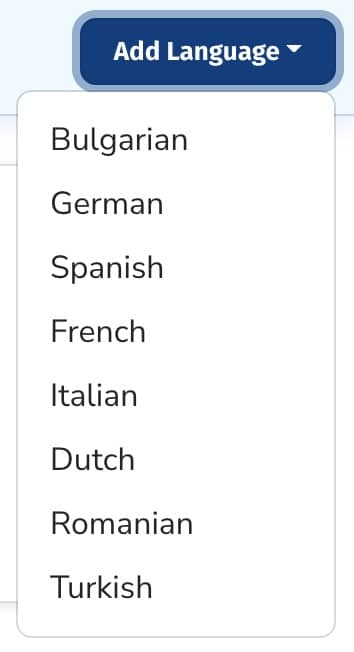
To create a new translation, go to your form > Settings > Languages. Click “Add Language” and choose the language you would like to add.
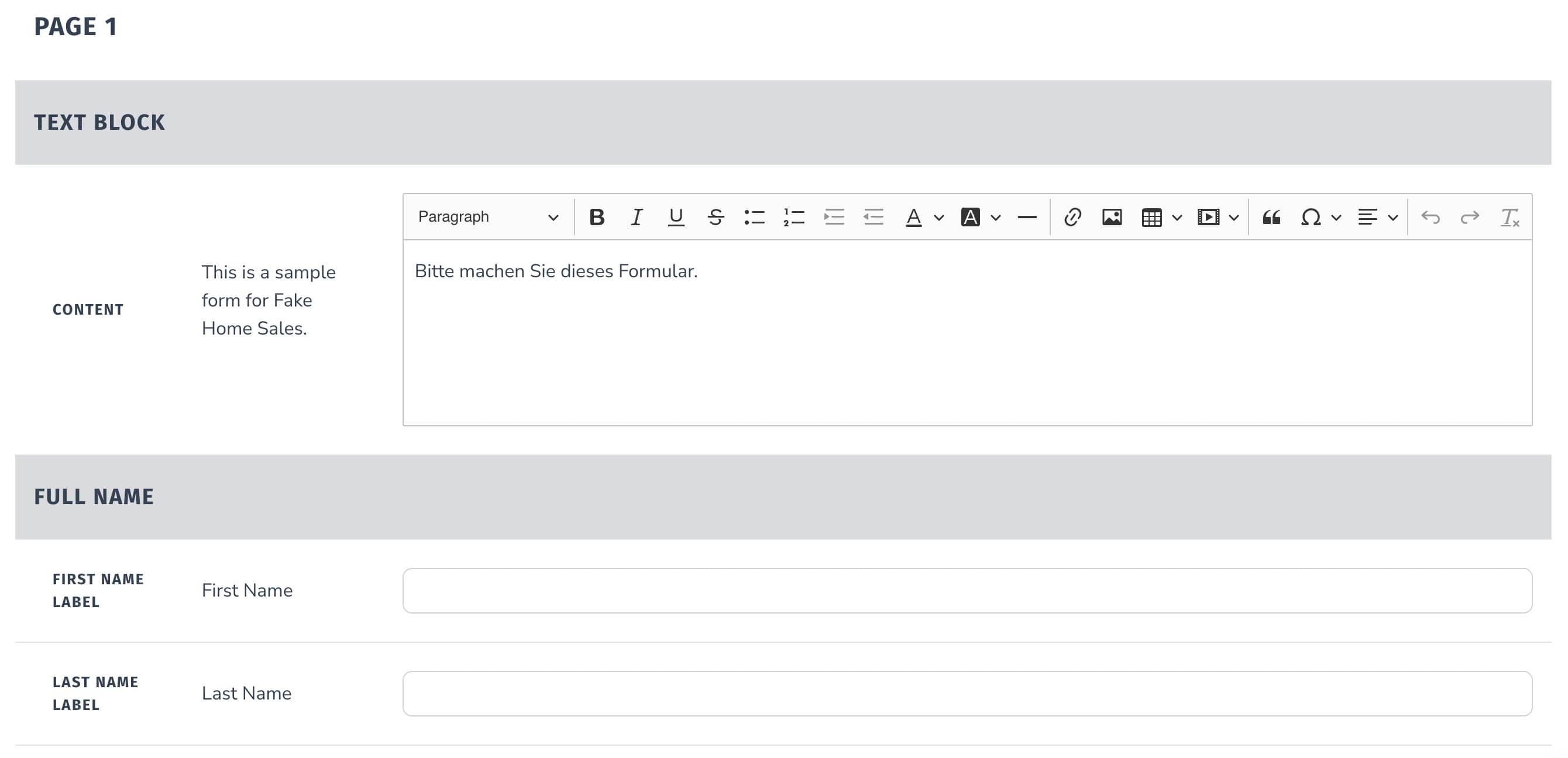
For each field of your form, enter in the desired translation.
Make sure that the “Enabled” checkbox is checked if you're ready to enable your translation.

Click “Save Translation”.

The translation will now be shown to anyone who has that language set as their browser’s default language.
The video recording widget detects the browser language settings and will adjust to the following languages: French, Spanish, German, Dutch, Italian, Turkish, Portuguese, and a fallback / default of English.
One tool with everything you need to leverage social proof to grow your business.
Meet the companies collecting video testimonials with Boast


Chicago Helicopter Experience Case Study

CommonSense American Case Study

Consulting Success Case Study

Family Chiropractic Center for Wellness Case Study

GoForClose Case Study

Growth Marketing Pro Case Study

National Grid Case Study

North Face Endurance Challenge Case Study

OneTrust Home Loans Case Study

Pure Energy Window Company Case Study

Republican Voters Against Trump Case Study

Savvy + Co Real Estate Case Study

Sedera Case Study

Seth Godin Case Study

Sonic Relief Case Study

Vivir al Máximo Case Study
Who Uses Boast?
Boast was originally designed to help B2B companies improve their processes for collecting testimonials and showcasing them on their websites, but it didn’t take long to realize that the Boast apps have far more potential. Check out some of the ways people are using below.

Software Companies

Creators & Consultants

Non-profit, Association & Advocacy

Financial Services

Agencies

Real Estate

Health & Wellness