

Boast Knowledge Base
Show a Different Form Thank You Message Based on Customer Rating
If your customer gives you five stars (they’re a promoter), you might want to include an additional request for a Google Review. Simply drop in the link to your Google Business page and add a message like, "We're so glad you had a great experience! Would you mind sharing your thoughts on our Google page?"
If your customer gives you one or two stars (they’re a detractor), consider a different message like, "We're sorry you didn't have a good experience. We appreciate you letting us know, so we can fix the problems you encountered." If you have a discount, free service or another way to possibly change their mind or ease their complaint, offer this as well.
Please keep in mind that the terms of service on some third-party review sites require that all customers be given equal opportunity to share their feedback, whether positive or negative. Read the terms of service of each site carefully before asking your customers to leave reviews on other sites.
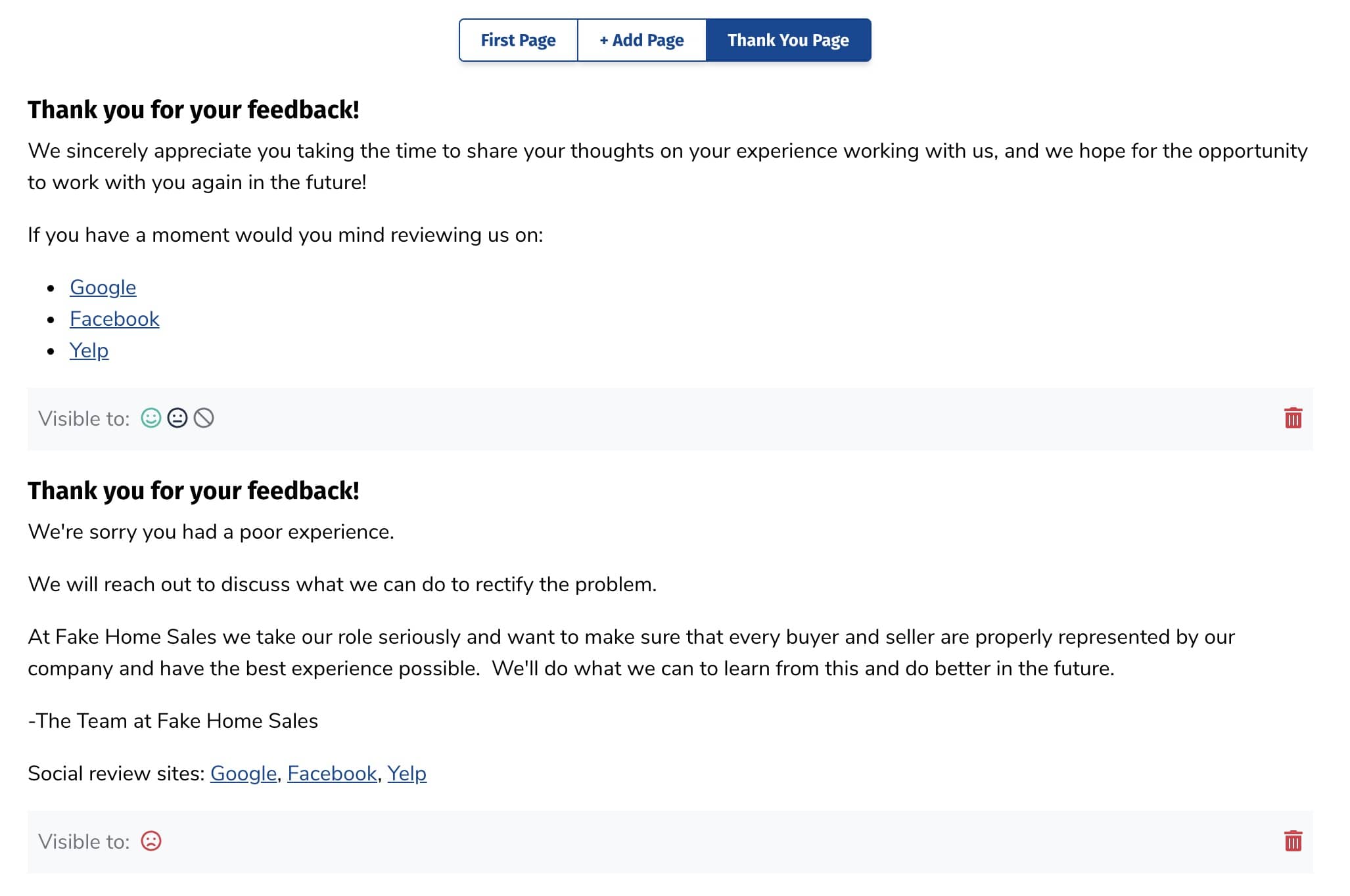
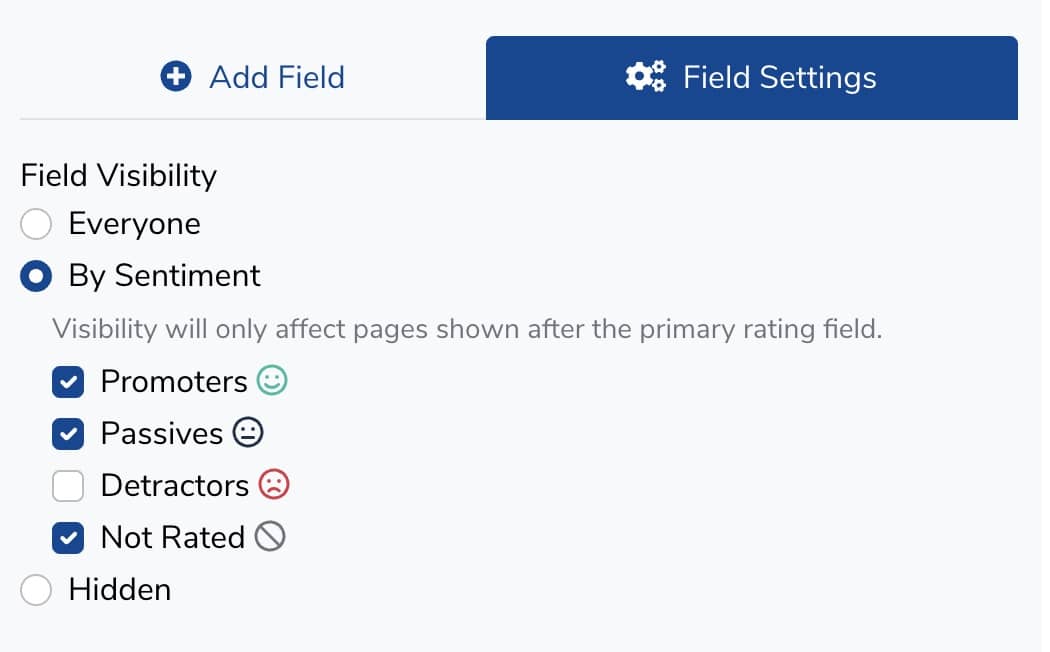
To make a field visible to only certain customers depending on what they rated you, edit the message or redirect by clicking on it. In the Field Settings, under Field Visibility, select By Sentiment. You can then choose to only show the field to those who fall into each category.
One tool with everything you need to leverage social proof to grow your business.
Meet the companies collecting video testimonials with Boast


Chicago Helicopter Experience Case Study

CommonSense American Case Study

Consulting Success Case Study

Family Chiropractic Center for Wellness Case Study

GoForClose Case Study

Growth Marketing Pro Case Study

National Grid Case Study

North Face Endurance Challenge Case Study

OneTrust Home Loans Case Study

Pure Energy Window Company Case Study

Republican Voters Against Trump Case Study

Savvy + Co Real Estate Case Study

Sedera Case Study

Seth Godin Case Study

Sonic Relief Case Study

Vivir al Máximo Case Study
Who Uses Boast?
Boast was originally designed to help B2B companies improve their processes for collecting testimonials and showcasing them on their websites, but it didn’t take long to realize that the Boast apps have far more potential. Check out some of the ways people are using below.

Software Companies

Creators & Consultants

Non-profit, Association & Advocacy

Financial Services

Agencies

Real Estate

Health & Wellness